

Power Platform Dataflows impacted by DLP policies
Table of contents:
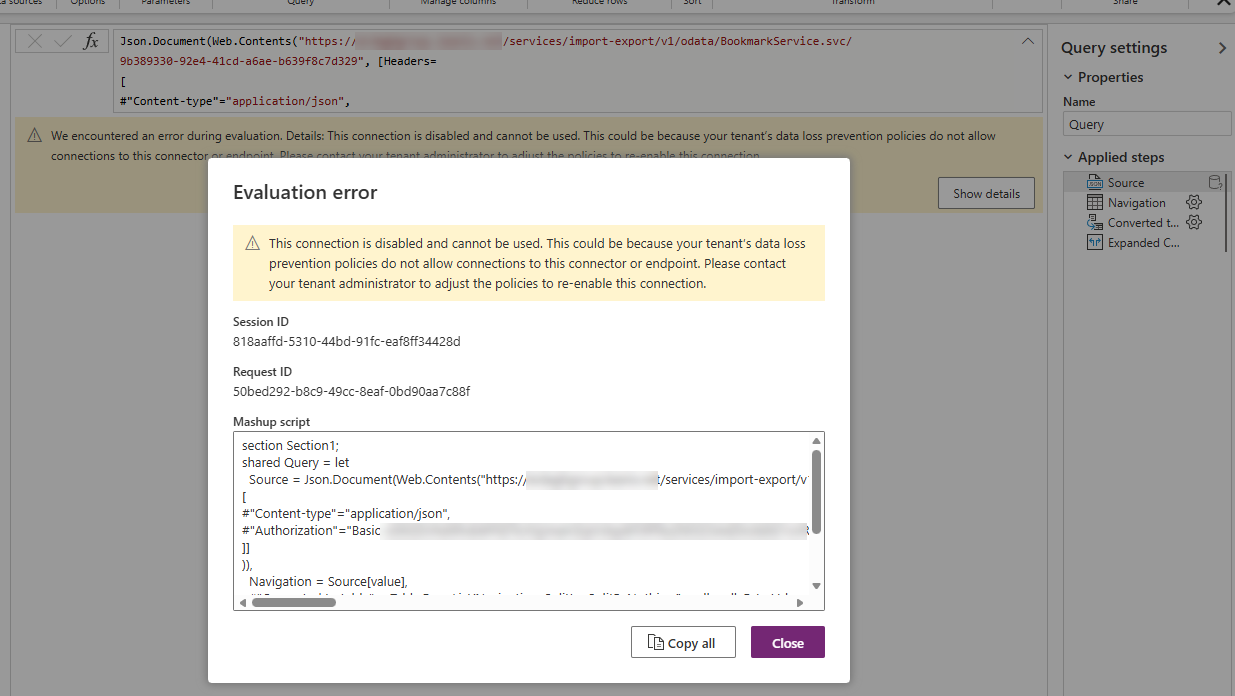
Recently, while enforcing new DLP policies at the customer’s tenant, some of the existing Dataflows stopped working, claiming that the connections they are using are now disabled and cannot be used.
As the reason, message suggested that “This could be because your tenant’s data loss prevention policies do not allow connections to this connector or endpoint.“. Finally, as the solutions the message proposed: “Please contact your tenant administrator to adjust the policies to re-enable this connection. (Connector: webcontents, Connection ID: …, Request ID: …).“

Meanwhile, when I opened the Dataflow itself, the message was not mentioning which connector is affected by the DLP, just that the connection is disabled and cannot be used:
Debugging
In the beginning, I thought, that the reason for this error is related to a fact, that either from Power Query Dataflows or Power Platform Dataflows connectors are blocked or not in the “Business” category. But, to my surprise, they were there already.
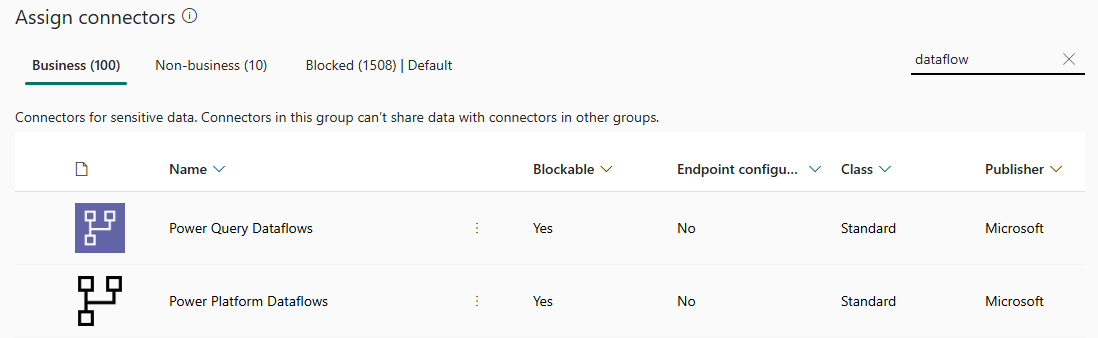
I then focused on the message itself, and its part that was describing the blocked connector: “Connector: webcontents“. It’s not easy to map connectors’ internal names to their display names, thus I googled a bit and found out, that the webcontents is a name for the “HTTP with Microsoft Entra ID (preauthorized)” connector.
I didn’t know that with every connection anyone is creating from a Dataflow, there is actually one “HTTP with Microsoft Entra ID (preauthorized)” connection created in the environment. I learnt as well, that whenever a connection uses oauth for authorization, then the relevant entry on the list of all connections in the environment is shown with the “Connected” status. Meanwhile, if the connection is anonymous, the status shows “Reconnect”.
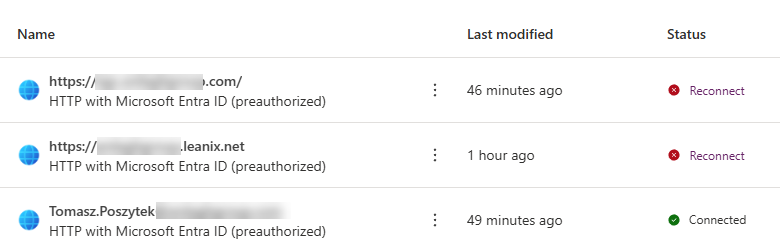
Important! Each connection setup in a Dataflow creates a single HTTP with Microsoft Entra ID (preauthorized) connection instance in the environment where a Dataflow is configured.
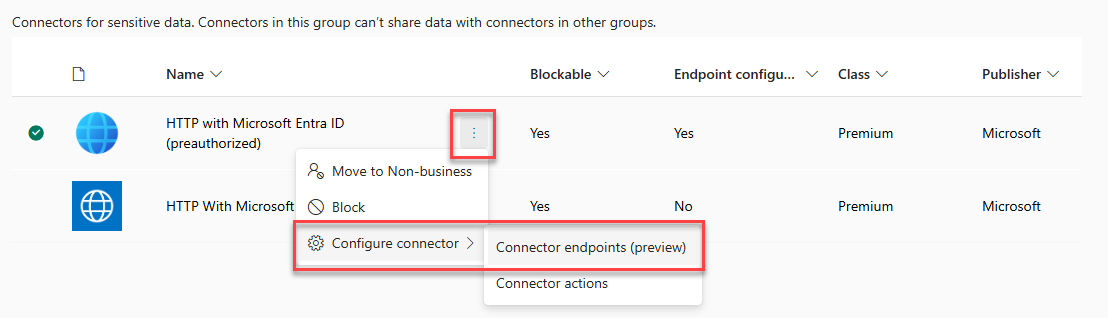
After I found that out, I checked the DLP configuration just to realize that the connector was added to “Business” group. Next, I have opened the connector endpoints configuration, to check if the endpoint, which the Dataflow was querying, is whitelisted. There again – the answer was “yes”.
The solution
It took me literally hours to solve the issue. For a moment I changed the connector endpoints configuration to allow all endpoints:

That actually solved the issue. After a longer while, Dataflows were able to refresh data again. However, I wasn’t ok with such an approach, as I didn’t want any endpoints to be available via that connector.
Hint: You may need to delete all existing connections in an impacted Dataflow, delete relevant connections on the “Connections” page in Power Automate portal, and then to re-create them again from a Dataflow designer.
I then took a look inside of the Dataflow itself. At first, I was so focused that it queries data from a Web API, that I haven’t noticed, it is as well querying data from an Excel file stored on SharePoint! And what I realized as well, was that the endpoint configuration of the “HTTP with Microsoft Entra ID (preauthorized)” connector did not have the “https://*sharepoint.com/*” mask added to allowed. After I added it, Dataflows started to work again. And the “allow all” for the endpoint’s configuration wasn’t needed! Yay! 🥳
Conclusion
If you are a Power Platform Administrator, and you plan to enforce new DLP policies, and Dataflows are being used by your organization, be sure to gather information about all data sources they are using, even if they may sound like the most obvious (SharePoint, really?). And then whitelist them under the connector endpoints’ configuration of the “HTTP with Microsoft Entra ID (preauthorized)” connector. Good luck!